



In today's fast-paced world, staying connected is more crucial than ever. Our phones have become indispensable extensions of ourselves, which makes keeping them charged a top priority. If you're an iPhone 11 user, unlocking the full potential of wireless charging can indeed enhance your daily experience. Integrating technology like Qi and MagSafe into every aspect of our lives ensures that our devices remain juiced up without the hassle of cords. Here's a comprehensive guide to help you optimize your wireless charging setup.
Table of Contents
- Table of Contents
- Understanding Wireless Charging Technologies
- Maximizing Charging Performance
- 1. Choose the Right Charging Station
- 2. Maintain Direct Contact
- 3. Positioning Matters
- 4. Optimize Charging Environment
- 5. Update Your Software
- 6. Consider Upgrading Accessories
- Additional Considerations: The Role of MagSafe
- Benefits of Optimized Wireless Charging
- Conclusion
- FAQs
Understanding Wireless Charging Technologies
Before diving into specific tips, it's essential to understand the technologies involved in wireless charging. The iPhone 11 supports Qi wireless charging, an industry-standard technology adopted by numerous devices for its reliability and efficiency. Although the iPhone 11 doesn't include MagSafe technology natively like its successors, many third-party accessories bridge this gap to deliver outstanding performance.
Maximizing Charging Performance
1. Choose the Right Charging Station
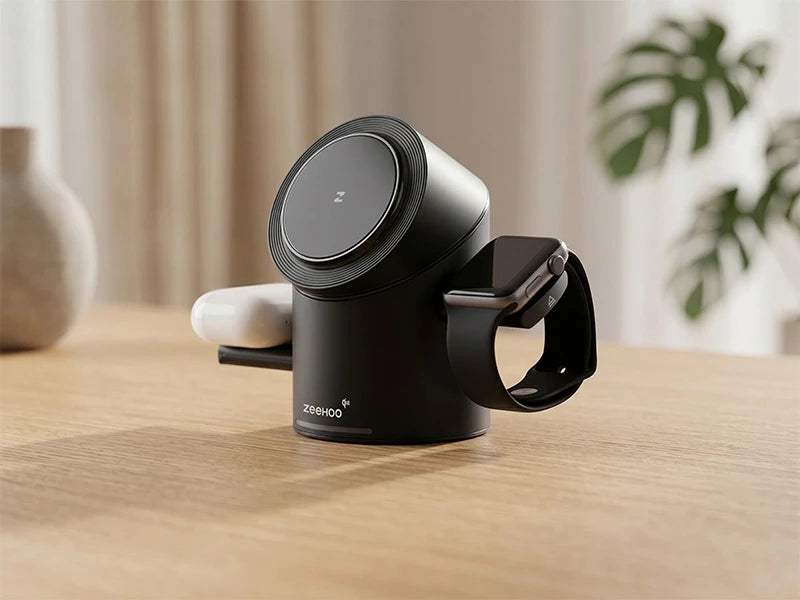
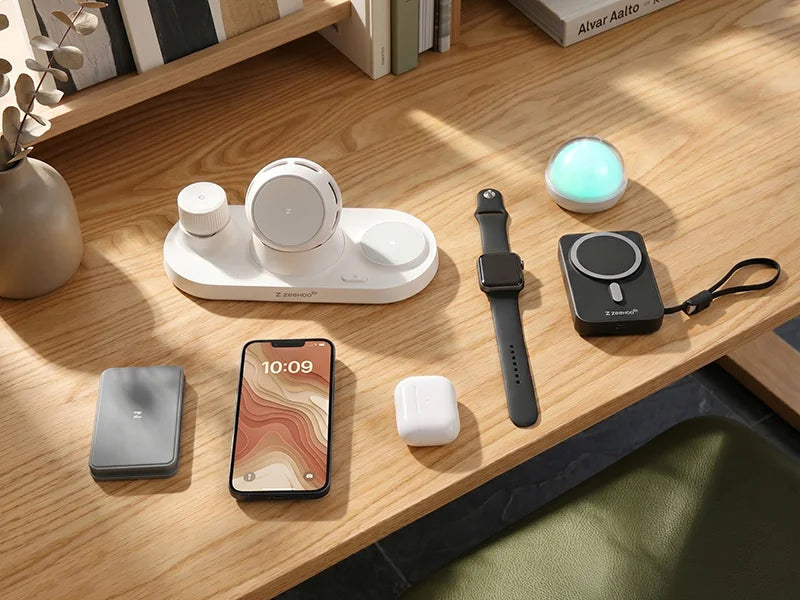
The foundation of effective wireless charging lies in selecting the appropriate charger. The market is flooded with options, but investing in a quality product is crucial. Consider using the LuminoCore 4-in-1 Wireless Charging Station, which is specifically designed to handle multiple devices simultaneously while maintaining great efficiency. This can be a game-changer for households or workspaces where multiple devices require charging.
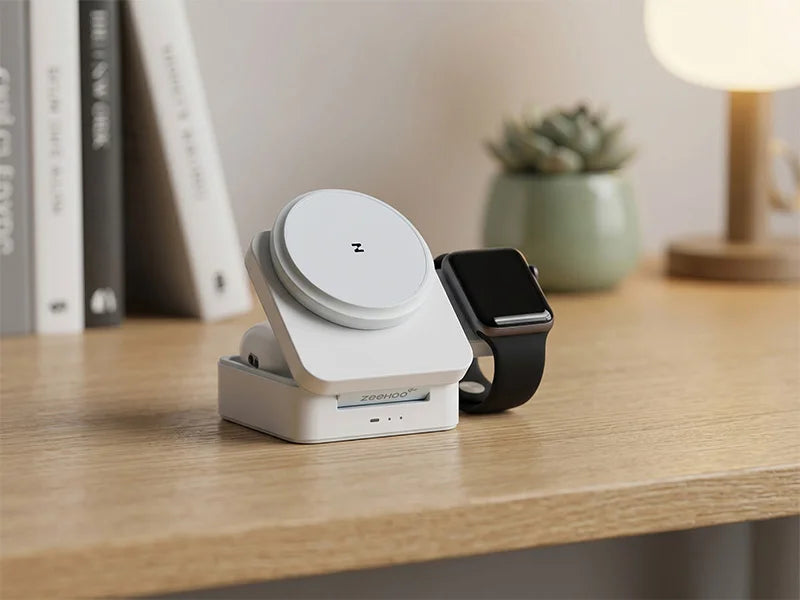
For users looking for a more compact option, the FoldTrack 3-in-1 Wireless Charging Station offers a sleek design that can efficiently charge your iPhone 11 along with other essential gadgets.
2. Maintain Direct Contact
Ensure that your iPhone 11 is in direct contact with the charging pad. Any obstructions, such as thick cases or foreign objects, can significantly reduce charging speeds. While the iPhone 11 accommodates most standard cases, removing any case that exceeds 3mm in thickness could prevent interference and improve overall performance.
3. Positioning Matters
Alignment and positioning on the pad are key to optimizing wireless charging. The Qi technology involves precise coil alignment between the charger and device. For the best results, make sure your iPhone 11 is centrally placed on the pad to avoid interruptions in power transfer.
4. Optimize Charging Environment
Environmental factors can impact wireless charging performance. Here’s how to create an optimal setting for faster charging:
- Cool Temperatures: Wireless charging generates some heat. Try to charge in cooler room temperatures to alleviate overheating.
- Avoid Metal Objects: Metal disrupts the wireless signal. Keep keys, coins, or any metal objects away from the charging pad.
5. Update Your Software
Keeping your iPhone 11 updated with the latest software from Apple can enhance charging performance. Regular updates can include bug fixes and improvements that optimize power delivery for wireless charging.
6. Consider Upgrading Accessories
If you're using older or third-party accessories, it might be time for an upgrade. Utilizing high-quality and certified accessories ensures you benefit from the fastest and most efficient charging possible.
Additional Considerations: The Role of MagSafe
Though primarily designed for models after iPhone 11, MagSafe accessories can still offer value when combined with compatible cases or adapters. They provide a stronger magnetic connection, which may lead to fewer drop-offs and consistent charging speeds. While these might not deliver the full MagSafe experience as seen in later models, they are a valuable consideration for any iPhone 11 user interested in maximizing wireless potential.
Benefits of Optimized Wireless Charging
- Convenience: No more fumbling with cables. Simply place your device, and you’re good to go.
- Longevity: Proper charging practices can extend the lifespan of your device’s battery.
- Efficiency: Charge faster and smarter with high-quality stations and best practices.
Conclusion
Maximizing wireless charging performance on your iPhone 11 requires the right combination of technology, accessories, and practices. By selecting quality charging stations such as the LuminoCore 4-in-1 Wireless Charging Station or FoldTrack 3-in-1 Wireless Charging Station, ensuring proper alignment, and maintaining an ideal environment, you can enhance your daily device experience.
By following these tips, you can embrace the full potential of your iPhone 11. Consider visiting Zeehoox for a wide range of accessories designed to amplify your wireless charging setup.
FAQs
What is wireless charging and how does it work on the iPhone 11?
Wireless charging for the iPhone 11 uses the Qi standard, enabling power transfer through electromagnetic fields. When you place your iPhone 11 on a compatible charging pad, the pad generates an electromagnetic field that the phone converts back into electrical energy to charge its battery.
Can I use any wireless charger with my iPhone 11?
While the iPhone 11 is compatible with any Qi-certified wireless charger, using an Apple-certified charger will ensure optimal performance. Avoid using non-certified chargers to prevent damage or inefficient charging.
What factors can affect wireless charging speed?
Wireless charging speed can be affected by several factors, including the type of charger used, the alignment of the phone on the pad, the phone case thickness, and ambient temperature. Ensure the charger is compatible and well-ventilated for the best results.
Should I remove my phone case while wireless charging?
Not necessarily, but it depends on the case material and thickness. Thin and non-metal cases typically allow wireless charging without issues, while thicker cases or those with metal components may interfere with charging. It’s best to test to see if your case impacts performance.
How can I ensure my iPhone 11 charges wirelessly as fast as possible?
To maximize charging speed, use a charger that provides at least 10W or higher output, ensure proper alignment of your iPhone on the charging pad, remove any thick cases, and keep your device and charger in a cool, dry place during charging.
Is it safe to leave my iPhone 11 on the wireless charger overnight?
Yes, charging your iPhone 11 overnight on a wireless pad is generally safe. The device has built-in mechanisms to manage battery health and prevent overcharging. However, continuous exposure to heat can impact battery lifespan, so it is recommended to use a charger that minimizes heat.
What can I do if my iPhone 11 is charging slowly on a wireless charger?
If your iPhone 11 is charging slowly, check for any foreign objects between your phone and the charger, make sure the alignment is correct, try a different charger, and remove any thick or metal cases. If problems persist, consider contacting Apple support for further assistance.
Does wireless charging harm my iPhone 11 battery in any way?
Wireless charging itself shouldn't harm your iPhone’s battery, but excessive heat can contribute to battery health degradation over time. To minimize heat, use a quality charger, keep the phone well-ventilated, and avoid leaving it on the charger for prolonged periods when it's already fully charged.

Leave a comment
This site is protected by hCaptcha and the hCaptcha Privacy Policy and Terms of Service apply.